App
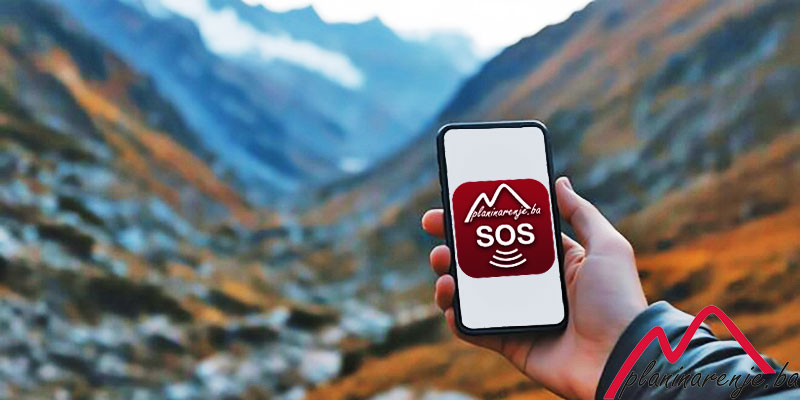
You have often seen in the media long-lasting (sometimes unfortunately even several days) search operations for injured and missing hikers, because the Mountain Rescue Service must search a vast area of inaccessible terrain.
Imagine if the MRS (Mountain Rescue Service) received all the data about the missing person, including their exact location. Rescue operations are always complex and demanding, but in this case, they would be at least a little easier.
This SOS application is part of the Planinarenje.ba project and was created in cooperation with the MRS of FBiH to facilitate the rescue of hikers in distress. The app is available on Android, iOS, and Huawei devices.
After installation, you need to do two things:
-
Register (profile icon) where you must fill in all required fields
-
Log in (profile icon).
If you find yourself in trouble, you need to open the app and click on the red SOS button in the middle of the screen.
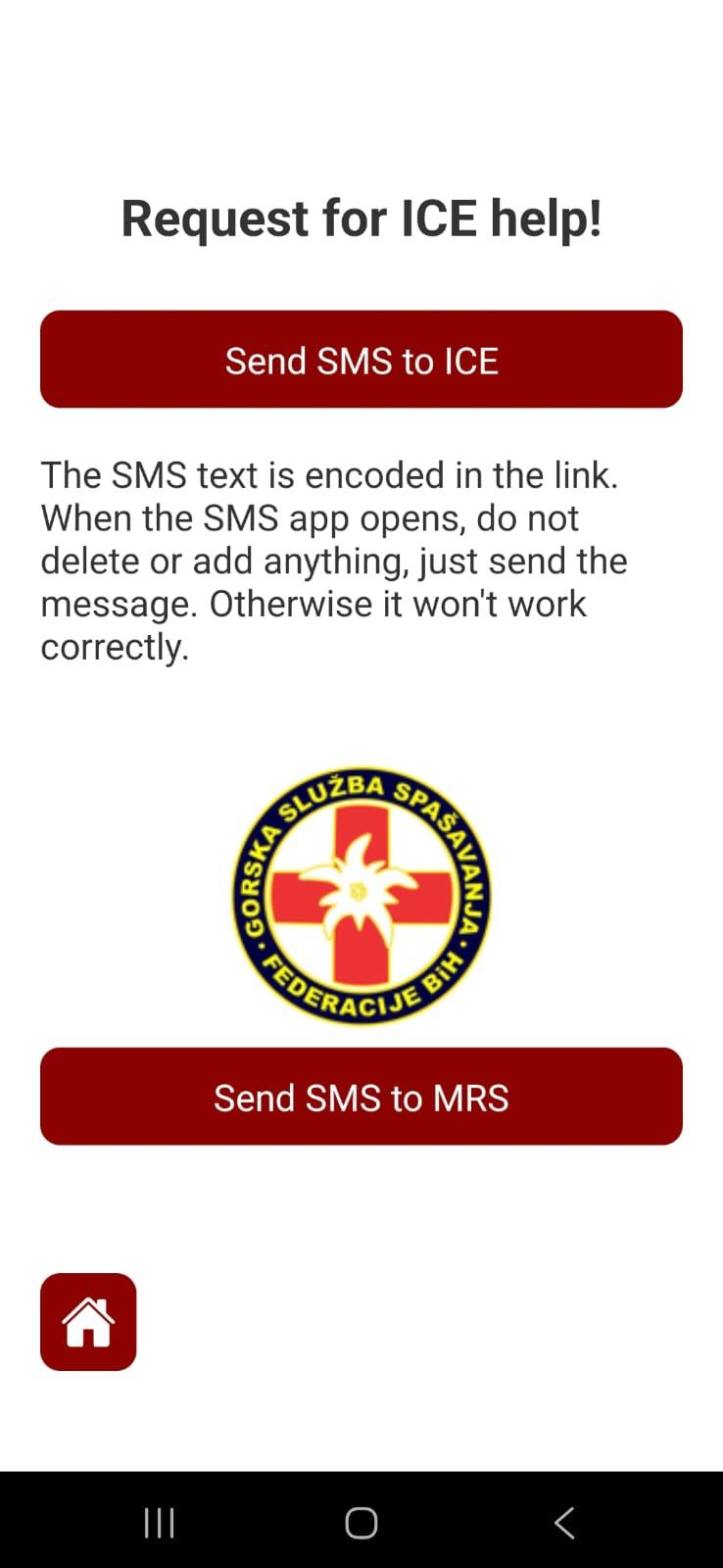
The application will ask you for some important information about your current condition and, along with your current location, will generate two SMS messages. The first is sent to your ICE contact, and the second is sent to the Mountain Rescue Service.
To send an SMS message you do not need internet (mobile data), but the message length is limited to 160 characters. Please do not add anything in your messaging app—just click the send button. If the message exceeds 160 characters, it becomes an MMS, which requires mobile data to send.
The text of the message to the MRS is encoded in a link, so you cannot see it. In this way, the MRS receives much more information about you. If you change anything in the SMS, the link will no longer work and the information will not be delivered correctly.
The MRS will confirm the receipt of each message by calling or sending you an SMS.
The application is optimized to use as little battery as possible, so there are no unnecessary features such as constant tracking of the hiker or live location sharing.
We hope you will never need this, but if you do, it will be of great help.
ATTENTION!!
• For testing purposes, do not send an SMS to the rescue service number, but to your ICE number.
• Please use the application responsibly and do not disturb the MRS unnecessarily.
Sos Alarm

SOS Alarm
The SOS Alarm is a new feature in the SOS GSS app. It can be used in two cases:
- When you go to a mountain area where you know there is no signal or the signal is very weak.
- When you want to leave someone information about where you are going hiking.
How it works:
The first thing you need to do is update the app to be able to use the SOS Alarm. The alarm must be set before going to the mountain and includes the following:
- Email of your ICE contact (in case of emergency)
- Location where your hike starts
- Location where you plan to go
- Departure time
- Expected return time
- If you have a GPS track of the route you plan to follow, you can upload it
- In the comment section, you can leave additional instructions for the person receiving your SOS Alarm
Once you create the alarm, its details will be displayed along with a delete button for when you return to a safe location. The alarm data is stored in our database and the countdown begins.
- After the alarm expires, the app waits 60 more minutes and sends you an email reminding you to turn off the alarm if you have reached a safe location.
- After the next 60 minutes, a new email is sent reminding you to turn off the alarm.
- After the following 60 minutes, it is assumed that something is wrong and an email is sent to your ICE contact to inform them that you have not returned and to try to contact you. The ICE contact receives a link with all the details of your alarm and can forward it to the GSS with one click, making the search and rescue process much easier because your planned route is known.
- If you think the 180-minute delay is too short and you might be unexpectedly delayed longer, you can write in the alarm comment to inform the ICE contact not to contact the GSS until the time you specify.
Important points:
- You must set the alarm while you still have an internet connection
- You can only turn off the alarm if you have an internet connection
- If you have GSM signal, you can still use the basic function of this app and send an SOS via SMS to the GSS.
- Once the ICE contact forwards the alarm details to the GSS, it is archived and can no longer be deleted.
Installation
Download the app from Google Play, App Store, or Huawei AppGallery
Instructions for using the app



Change Log
Version 4.1.7
- We added a gear icon to the Profile page that leads to the Settings page.
- We added Dark/Light mode to the app.
- The encoded message used to send a rescue request is now protected, and any attempt to modify it will prevent it from working.
Version 4.0.0
- Added device overview by operating system in the GSS Rescue portal
- Enabled tagging of GSS members and GSS stations in the GSS Rescue portal
- Added the ability to send rescue requests from the portal directly to the GSS members’ application
- Introduced a dedicated menu for GSS members within the application
- GSS members can now receive and review rescue requests directly in the application
- Added a map with navigation to the injured person, including GPS tracks and mine-suspected areas
- Push notifications have been added
3.1.5
- Prevented duplicate user creation on multiple requests
3.1.4
3.1.3
- Added a date/time picker for easier date selection
- The app has been moved to a new domain: sos-gss.ba
- Added support for sending SOS messages via email and WhatsApp
3.1.3
- Application migrated to the sos-gss.ba domain
- Added date picker during registration
- Added option to send messages via WhatsApp and email
- Added Privacy popup for Huawei devices
3.1.2
- Fixed issue with date and checkboxes on iPhone devices
3.1.1
- App optimized for Apple and Huawei phones
3.1.0 - App now supports English language
- SOS SMS messages sent to GSS are now forwarded to 3 phone numbers for security
3.0.0
- Added SOS Alarm
- GSS Rescue portal now includes a list of timers and alarm archive
2.3.4
- Sending messages to ICE as a link, and opening the link on the web portal
2.3.3
- Notification about the need to disable RCS chat
- Fixed the way date of birth is entered
2.3.2
- Added option to share rescue requests
2.3.1
- Web portal optimized for mobile devices
2.3.0
- Added full screen option on the map
2.2.1
- Added data editing and account deletion
2.2.0
- Created a list of all users with their data
- Added Terms of Use and Disclaimer
2.1.0
- Created an archive of rescue requests
2.0.0
- Created GSS Rescue portal
- Created accounts for hikers to facilitate data submission
- Sending SMS to GSS as a link, which opens on the web portal
1.1.0
- Option to send SMS to GSS
1.0.1
- Added current state of hiker in SMS
1.0.0
- Sending SMS with location and call for help
Privacy
Privacy Policy
Application Name: SOS-GSS
Application Owner and Data Controller: Mountain Rescue Service of FBiH (GSS)
Developer: Midhat Bećar
This Privacy Policy explains what data the application collects, how it is processed, and how it is protected. The application is intended exclusively for sending emergency assistance requests and coordinating rescue operations in mountainous and remote areas.
Data We Collect
During user registration, the following data may be collected:
- Full name
- Email address
- Phone number
- Blood type (optional)
- Information about chronic medical conditions (optional)
When sending an SOS request:
- Current GPS location
- Information about current condition (e.g., injured, mobile, etc.)
During an active rescue operation (authorized GSS members only):
- Live location of rescuers for coordination purposes
- Navigation data for reaching the injured person
Purpose of Data Processing
- Organization and execution of rescue operations
- Assessment of the injured person’s condition to plan the rescue approach
- Coordination of GSS teams in the field
GSS does not provide medical treatment. Its role is to locate, access, and transport injured individuals to the appropriate emergency medical services.
Access and Data Sharing
User data becomes visible exclusively to authorized GSS members, only in the case of an active SOS request and only during the rescue operation.
Data is not shared with third parties unless required by law or necessary to protect the life and health of the user.
Location Data and Background Access
The application uses precise device location:
- When sending an SOS signal
- During an active rescue operation (for authorized GSS members)
Background location access is used exclusively during an active rescue operation and automatically stops once the operation ends. The application does not use location data for marketing, analytics, or continuous user tracking.
Data Retention and Deletion
Data related to a specific rescue operation is deleted after the operation is completed using the “Delete Operation” option within the application.
Users may request deletion of their account and all associated data at any time through the application or by sending a request to: emreza.net@gmail.com
Legal Basis for Processing
- Explicit user consent
- Protection of the user’s vital interests in life-threatening or emergency situations
Data Security
GSS implements reasonable technical and organizational measures to protect data from unauthorized access, misuse, or loss.
Contact
For any questions regarding data protection, please contact: emreza.net@gmail.com
Terms of Use
- The user agrees to provide accurate and complete information during registration.
- The user is responsible for the accuracy of entered medical information.
- Submitting false emergency requests is strictly prohibited.
- Submitting a false SOS request may result in legal action and reimbursement claims for rescue operation costs.
Disclaimer
- Sending an SOS request is not possible without mobile signal or internet connectivity.
- GSS can initiate a rescue operation only after receiving a valid request.
- Every received request is confirmed by SMS. If confirmation is not received, the request was likely not successfully transmitted.
- Response time depends on weather conditions, terrain configuration, and team availability.
- GSS does not provide medical treatment but transports injured individuals to the appropriate emergency medical services.
Instructions
Instructions
For this app to function properly when the internet is unavailable, you must do two things:
- Enable location
- To correctly send SMS messages without internet access, please disable RCS messages (chat function) in your messaging app settings.
RCS messages require an internet connection, while standard SMS messages work without it.
How to disable RCS (depending on your device):
1. Open the Messages app
2. Profile icon
3. Message settings (⚙️)
4. RCS chats
5. Turn off RCS chat
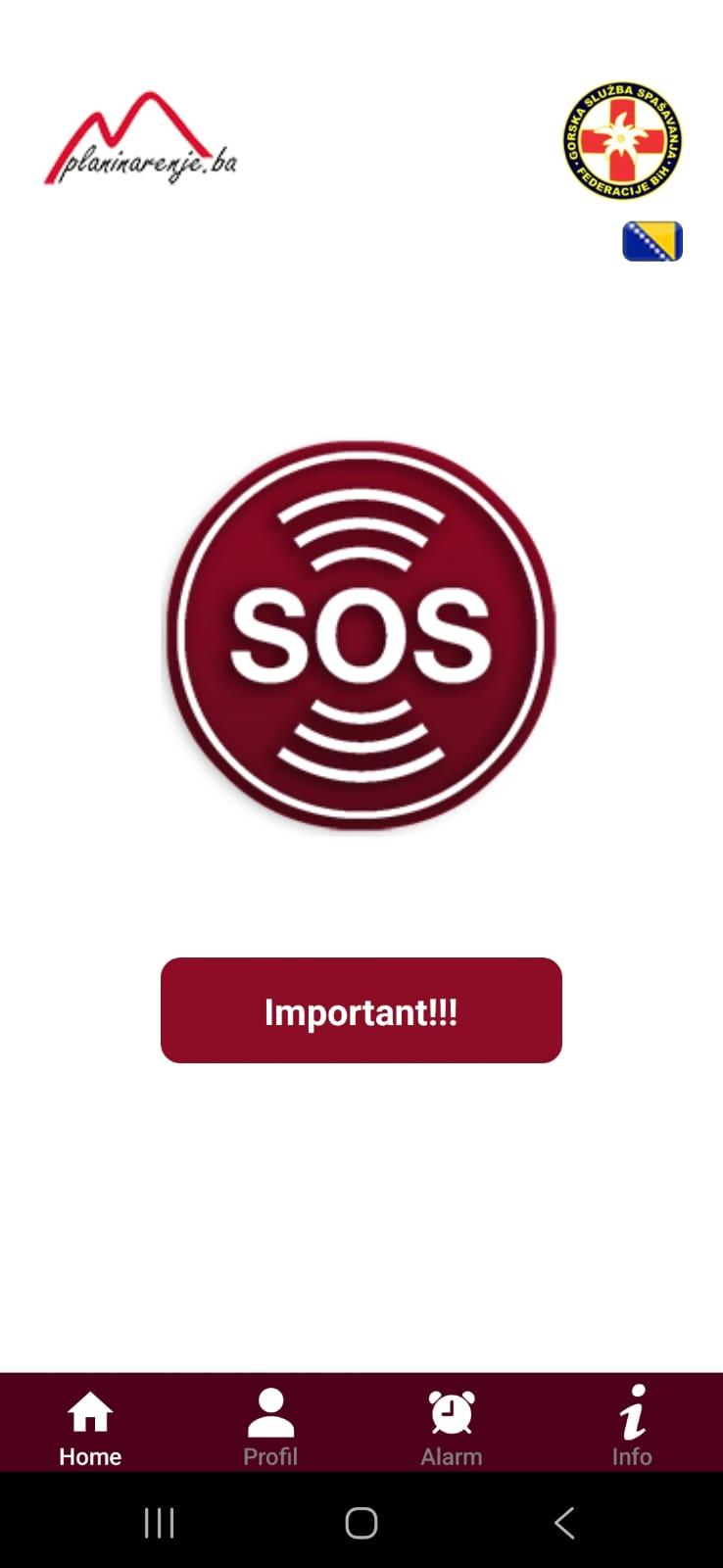
When opening the app for the first time, a simple screen with a large SOS button will appear, along with a notice that you need to log in to use the app.
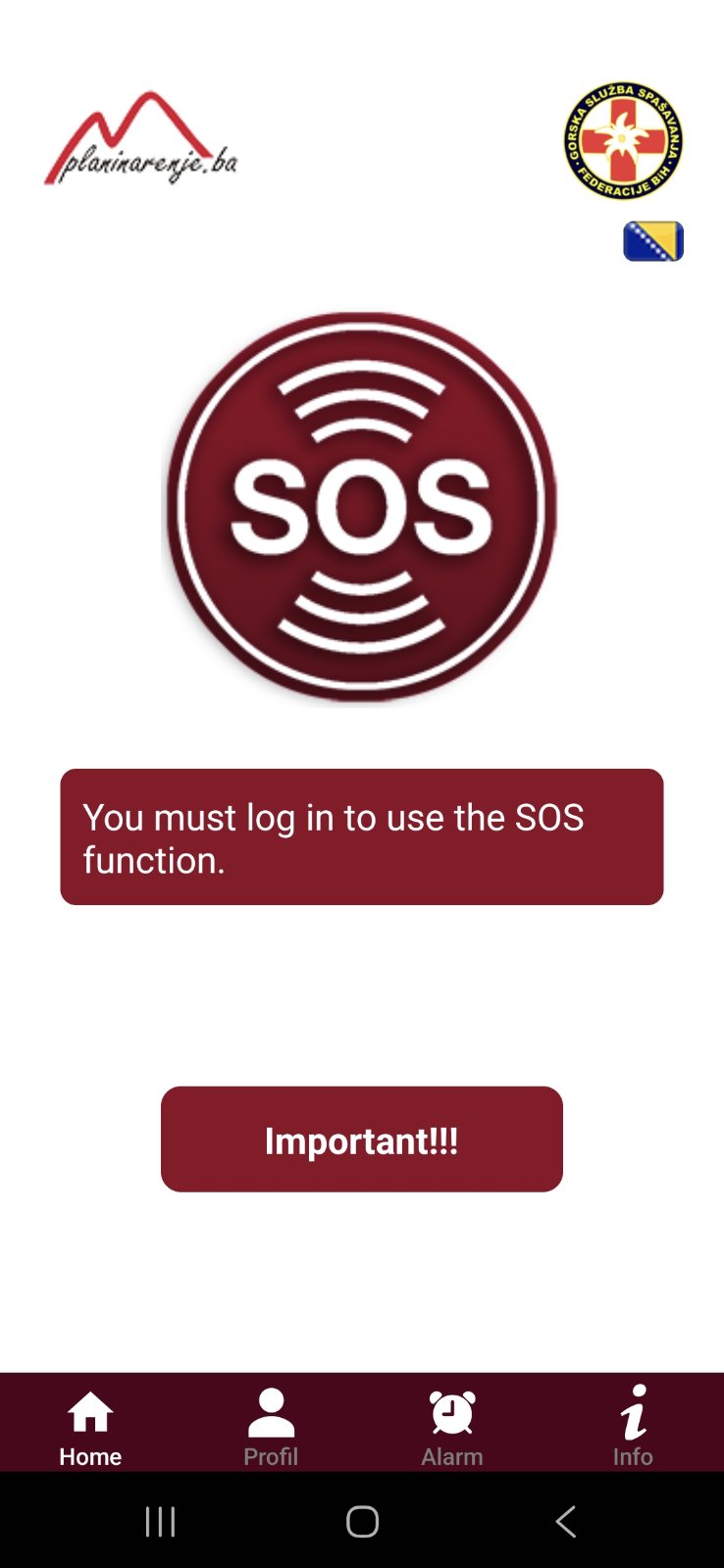
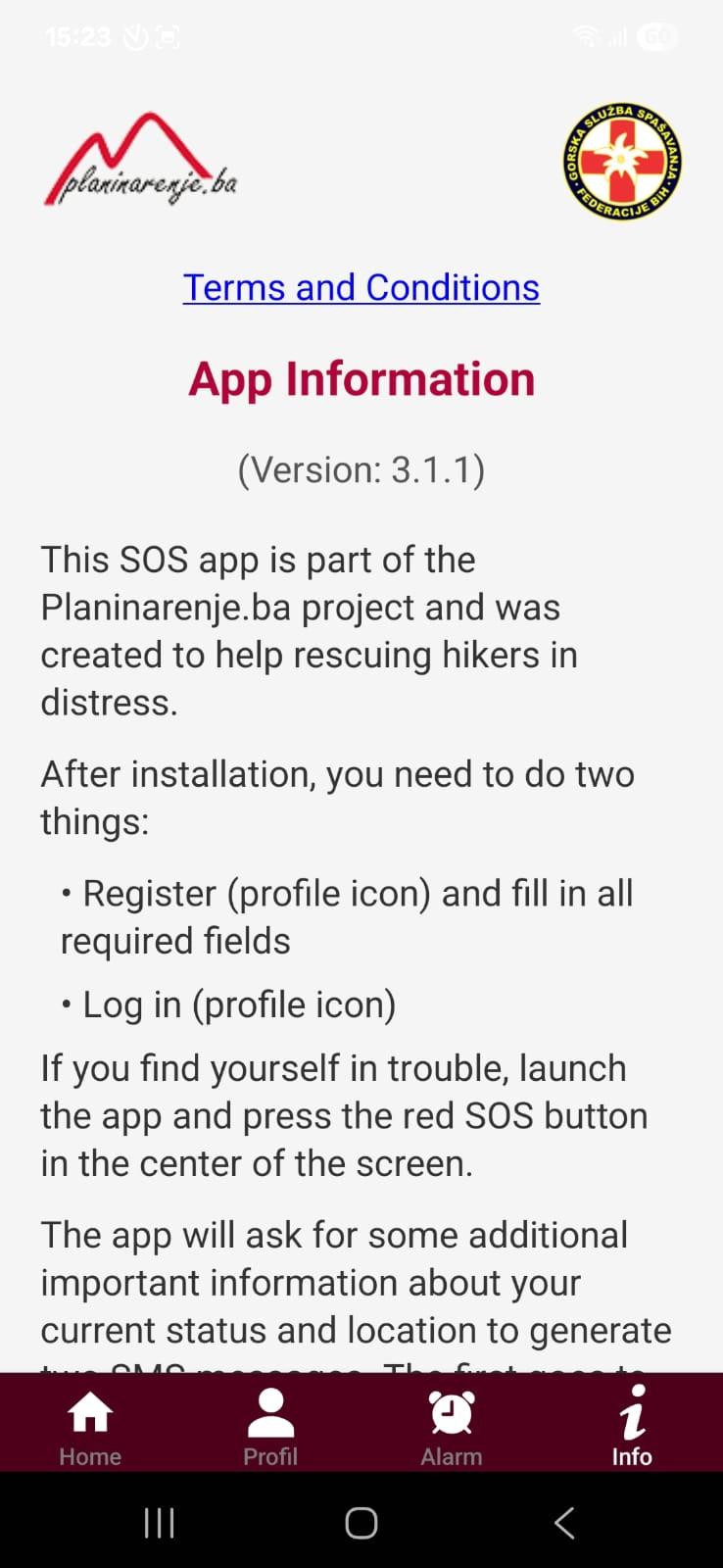
Please first read the information, terms, and user instructions under the "i" info icon.
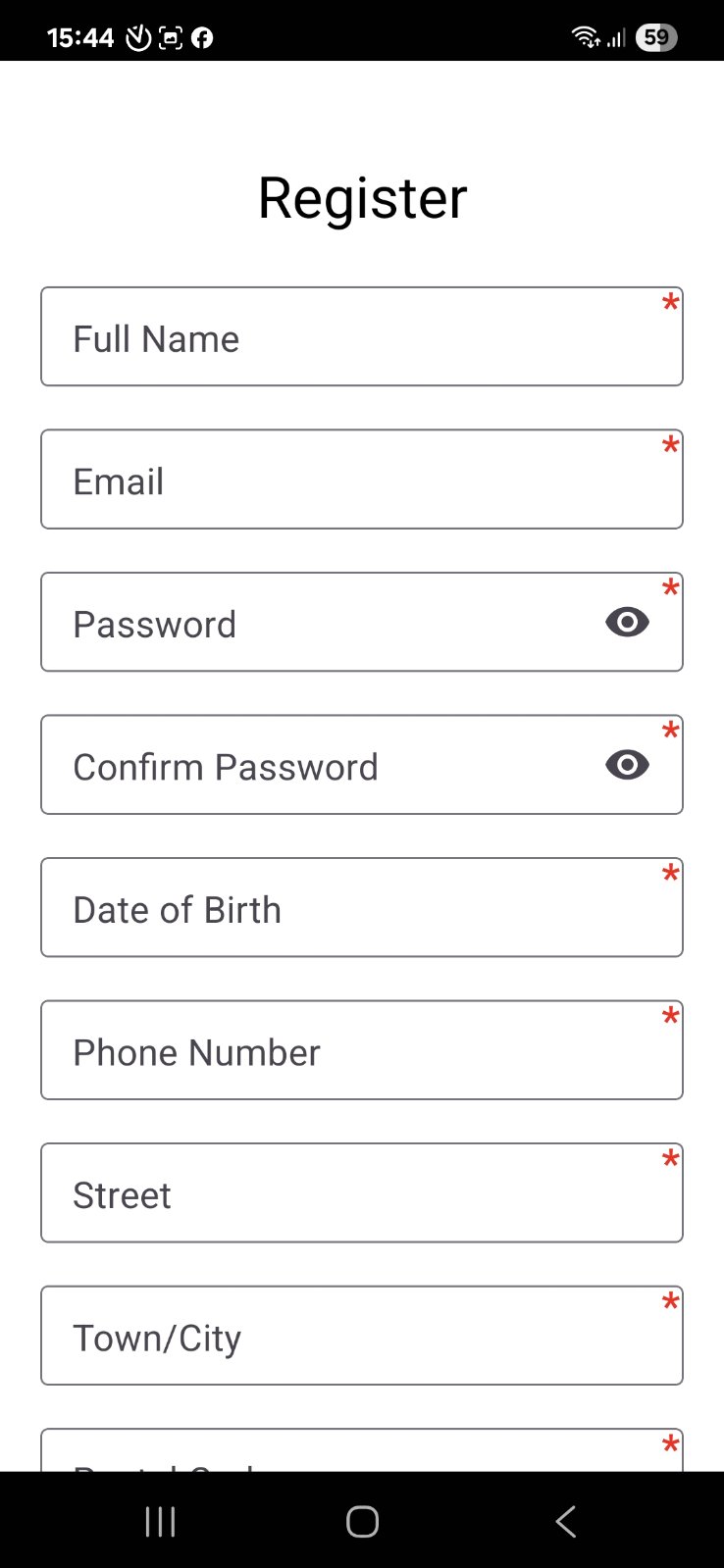
Login and registration forms can be accessed by clicking the profile icon.
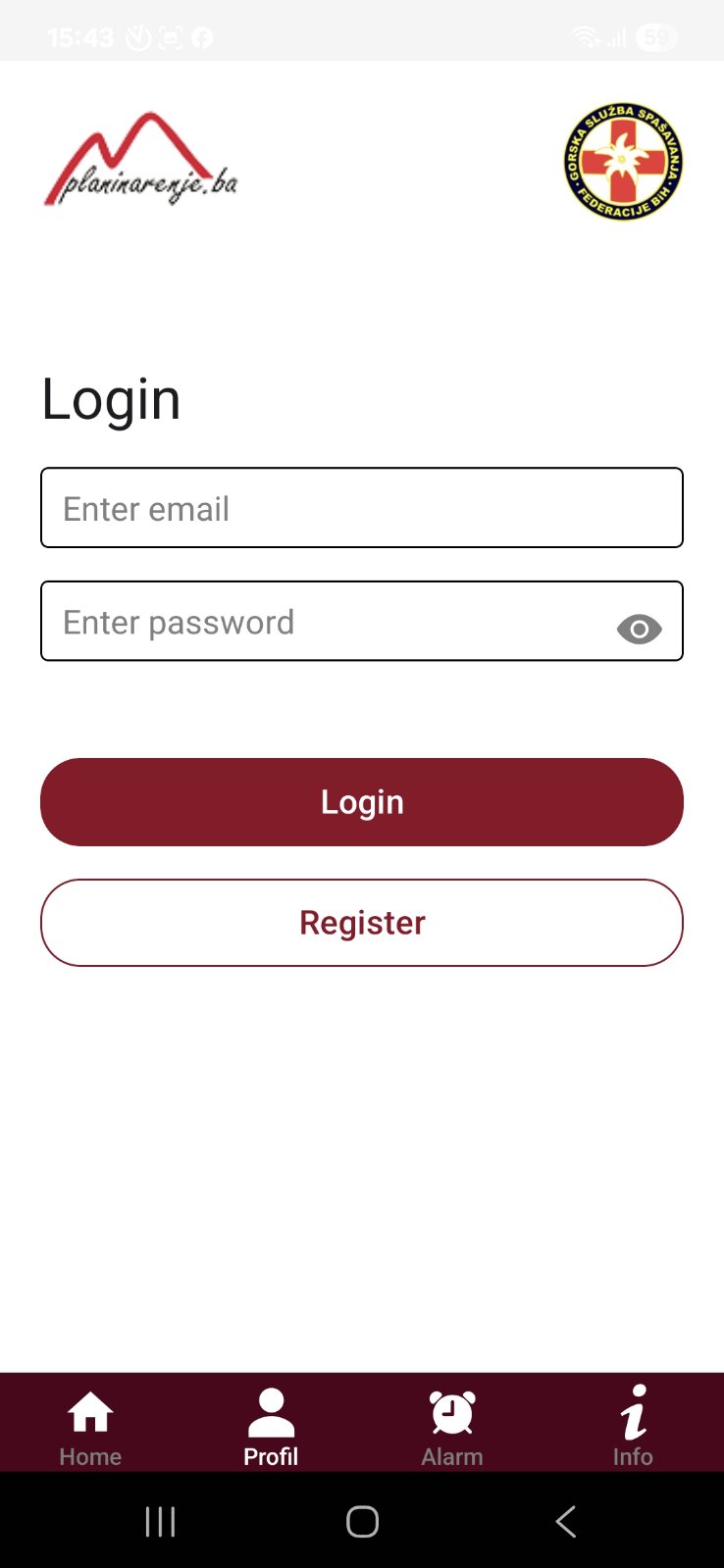
Registration requires accurate information. All fields are mandatory except for blood type, chronic illnesses, and therapy.
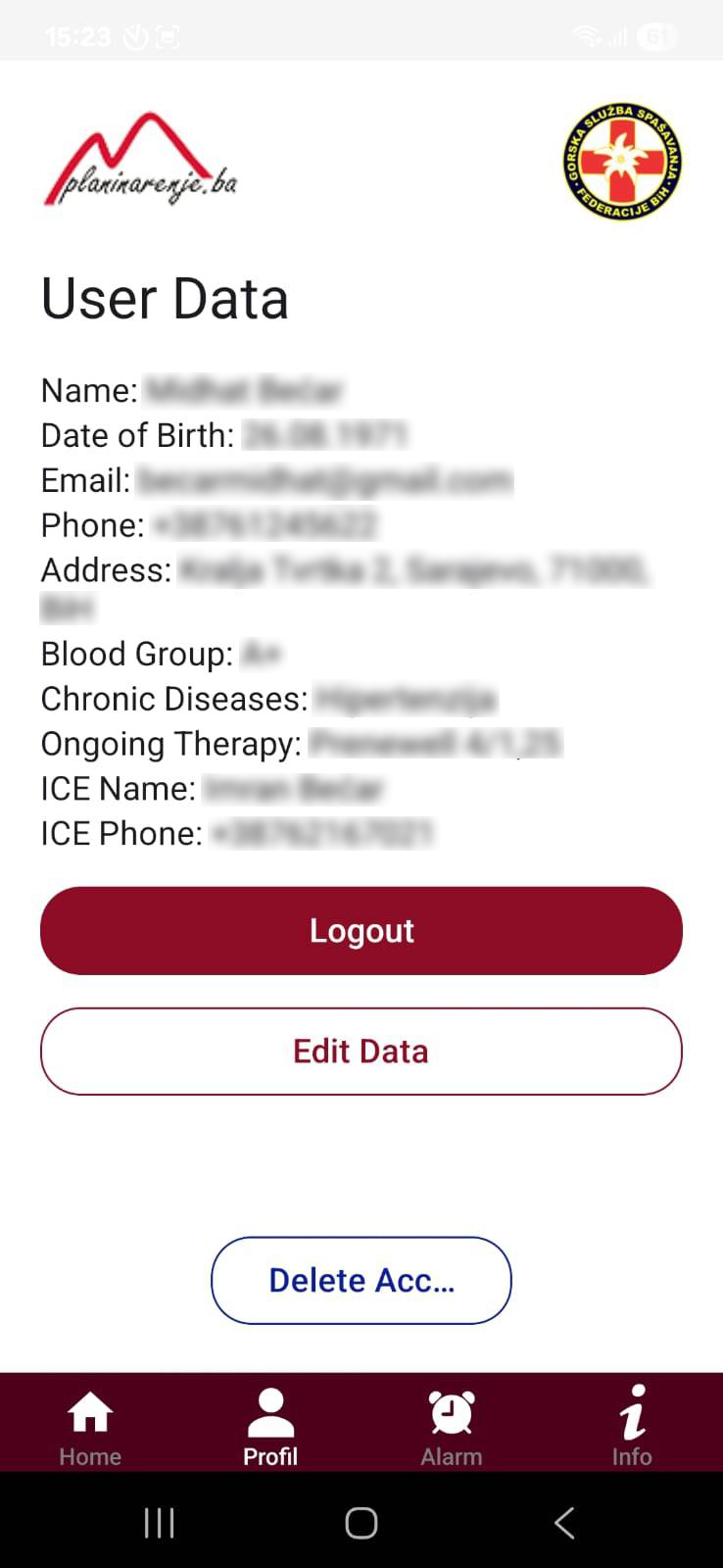
After logging in, a screen with user details and options to edit them appears. Here you can also delete your account and all stored data.
You are ready to use the app – click the SOS button in an emergency.
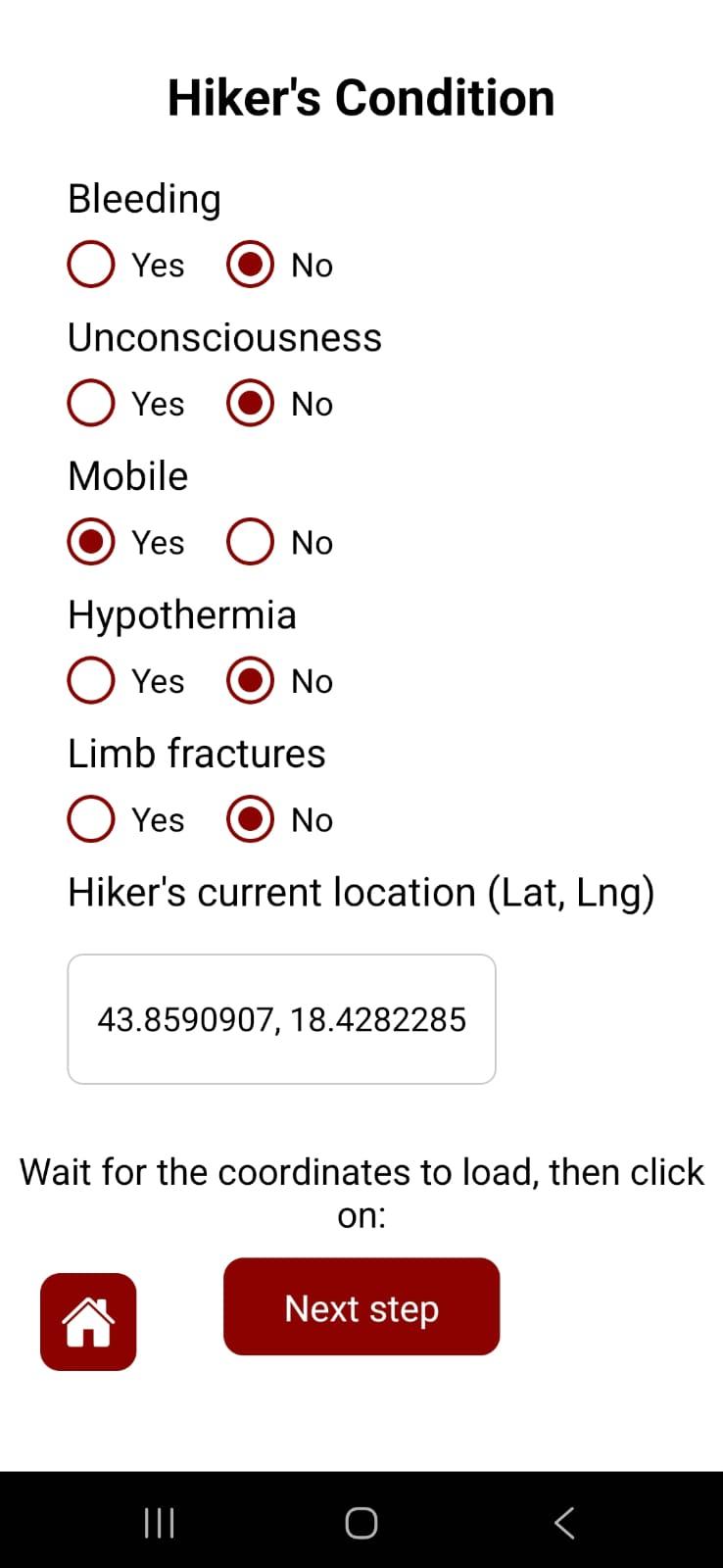
Select your current condition (injuries), and the phone will automatically determine your location. (The app will ask for location permission the first time.)
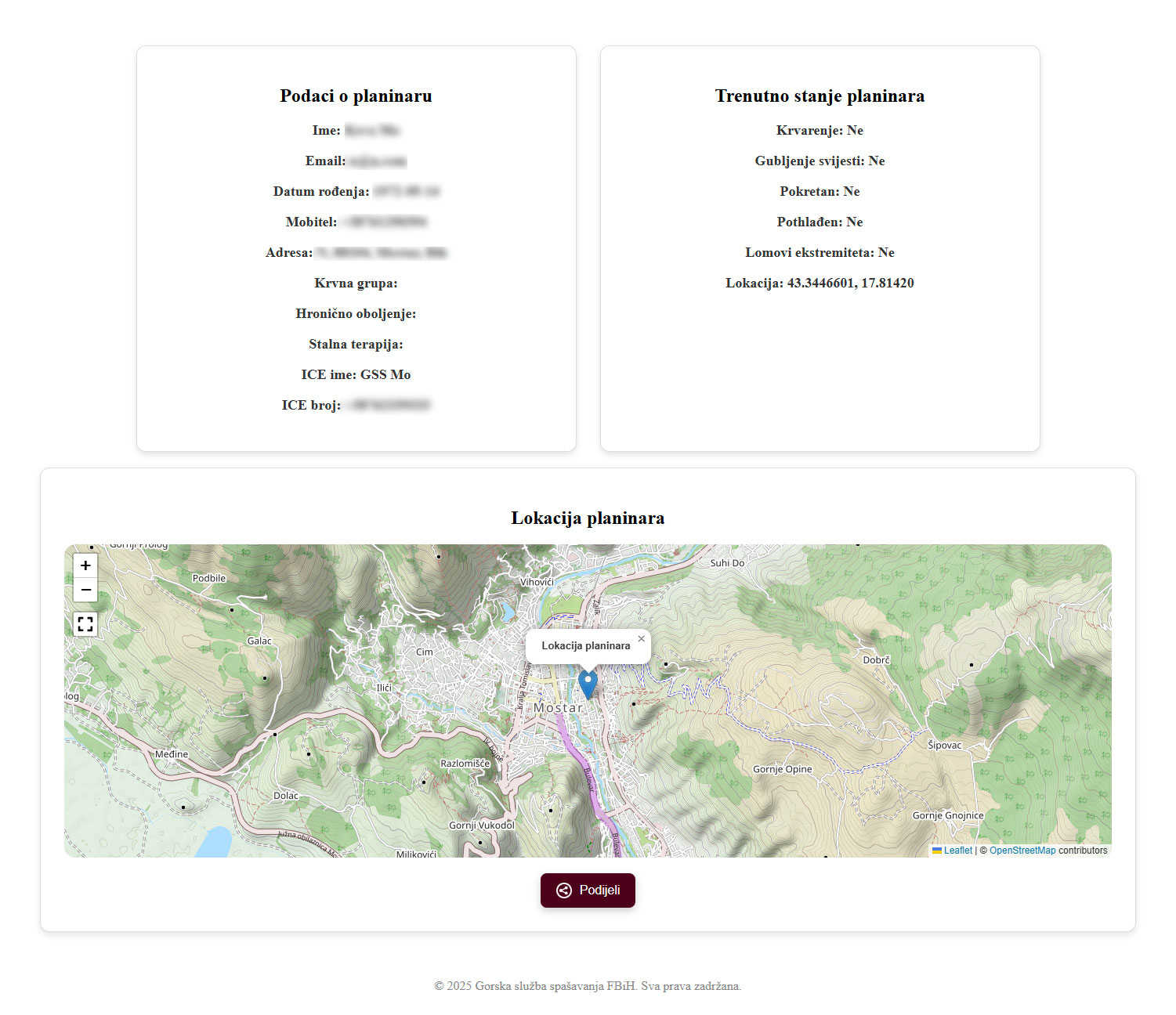
You can send a message to your ICE contact or directly to GSS. SMS messages contain a coded link with all information. By clicking the link, ICE and GSS can see the data, your current condition, and your location on the map. Below the map is a button to share this information.
The GSS Rescue portal displays all information about the person in distress, including location on the map and medical condition.
SOS Alarm is a new feature in the SOS GSS app. It can be used in two cases:
- When going to a mountain where you know there is no signal or it is very weak.
- When you want to leave someone information about where you are going hiking.
How it works:
The first thing you need to do is update the app to use SOS Alarm. The alarm must be set before going to the mountain, including:
- Email of your ICE contact (in case of emergency)
- Starting location of your tour
- Destination location
- Departure time
- Expected return time
- If you have a GPS track of your route, you can upload it
- In the comments, you can leave additional instructions for the person receiving your SOS Alarm
When you create the alarm, its details and a delete button will be displayed, which you can use once you return to a safe location. Alarm data is stored in our database, and the countdown begins.
- After the alarm expires, the app waits another 60 minutes and sends you an email reminding you to turn off the alarm if you have returned safely.
- After the next 60 minutes, a new email is sent reminding you to turn off the alarm.
- After the next 60 minutes, it is assumed that something is wrong, and an email is sent to your ICE contact indicating you have not returned and asking them to try contacting you. The ICE contact receives a link with all alarm details and can forward it to the GSS with one click, making the search and rescue process much easier since your route is known.
- If you think 180 minutes of delay is too short and you may be delayed longer, you can write in the alarm comments to instruct the ICE contact not to contact GSS until the time you specify.
Important:
- The alarm must be set while you still have an internet connection
- The alarm can only be turned off if you have an internet connection
- If you have GSM signal, you can still use the basic function of the app and send SOS via SMS to GSS.
- Once the ICE contact forwards the alarm details to GSS, it is archived and can no longer be deleted.
Support Contact

